























TrendKia
AllLiveNational
World
All World
PakistanChinaAmericaEuropeAsiaMiddle EastLatin America
Politics
Uttar Pradesh
Uttar Pradesh
Uttar PradeshBiharMadhya PradeshRajasthanDelhiMaharashtraGujaratPunjabHaryanaWest BengalTamil NaduKeralaKarnatakaTelanganaAndhra PradeshJharkhandChhattisgarhOdishaAssamUttarakhandHimachal PradeshJammu & KashmirGoaChandigarhPuducherry
Travel
Travel
Business
MarketMoneyAutoBenefitsSuccess StoriesCryptoAI
Sports
CricketTennisFootball
EntertainmentMovies, TV & celebrities
BollywoodOTTBhojpuriMovie ReviewsTVHollywood
TechnologyGadgets, apps & innovation
AccessoriesLaunch & ReviewDIY
HealthHealth, fitness & wellness
LifestyleFashion, relationships & lifestyle
Fashion & BeautyCultureRelationshipsTrendsParenting
FoodRecipes, food & restaurants
ReligionFaith, belief & spirituality
FestivalsVastuSpirituality
Astrology
AriesTaurusGeminiCancerLeoVirgoLibraScorpioSagittariusCapricornAquariusPisces
TravelDestinations & travel guides
Travel Tips
EducationJobs, exams & results
VacanciesAdmissionExamResultsCareer
Live
National
World
Pakistan China America Europe Asia Middle East Latin America
Politics
Business
Market Money Auto Benefits Success Stories Crypto AI
Sports
Cricket Tennis Football
Entertainment
Bollywood OTT Bhojpuri Movie Reviews TV Hollywood
Technology
Accessories Launch & Review DIY
Health
Lifestyle
Fashion & Beauty Culture Relationships Trends Parenting
Food
Religion
Festivals Vastu Spirituality
Astrology
Aries Taurus Gemini Cancer Leo Virgo Libra Scorpio Sagittarius Capricorn Aquarius Pisces
Travel
Travel Tips
Education
Vacancies Admission Exam Results Career
Uttar Pradesh Bihar Madhya Pradesh Rajasthan Delhi Maharashtra Gujarat Punjab Haryana West Bengal Tamil Nadu Kerala Karnataka Telangana Andhra Pradesh Jharkhand Chhattisgarh Odisha Assam Uttarakhand Himachal Pradesh Jammu & Kashmir Goa Chandigarh Puducherry
About Contact Privacy Cookies Terms Advertise
TrendKia logo Hindi • English News Platform

TrendKia

Fast • Fresh • Always Trending

TrendKia is a free bilingual Hindi–English news platform — trending stories from India and around the world. Sign in with Google to comment and follow topics.

About Us
TrendKia news app preview
TrendKia
AboutContactPrivacyCookiesTermsAdvertise
10 Smart Tricks Every Google Home User Should MasterGuides
1 hour ago· 2

10 Smart Tricks Every Google Home User Should Master

Boost your smart home experience with these 10 practical tips for Google Home, covering everything from privacy settings to custom automation workflows.

Ravikash GuptaRavikash GuptaSenior Correspondent 4 min read For AI
Share

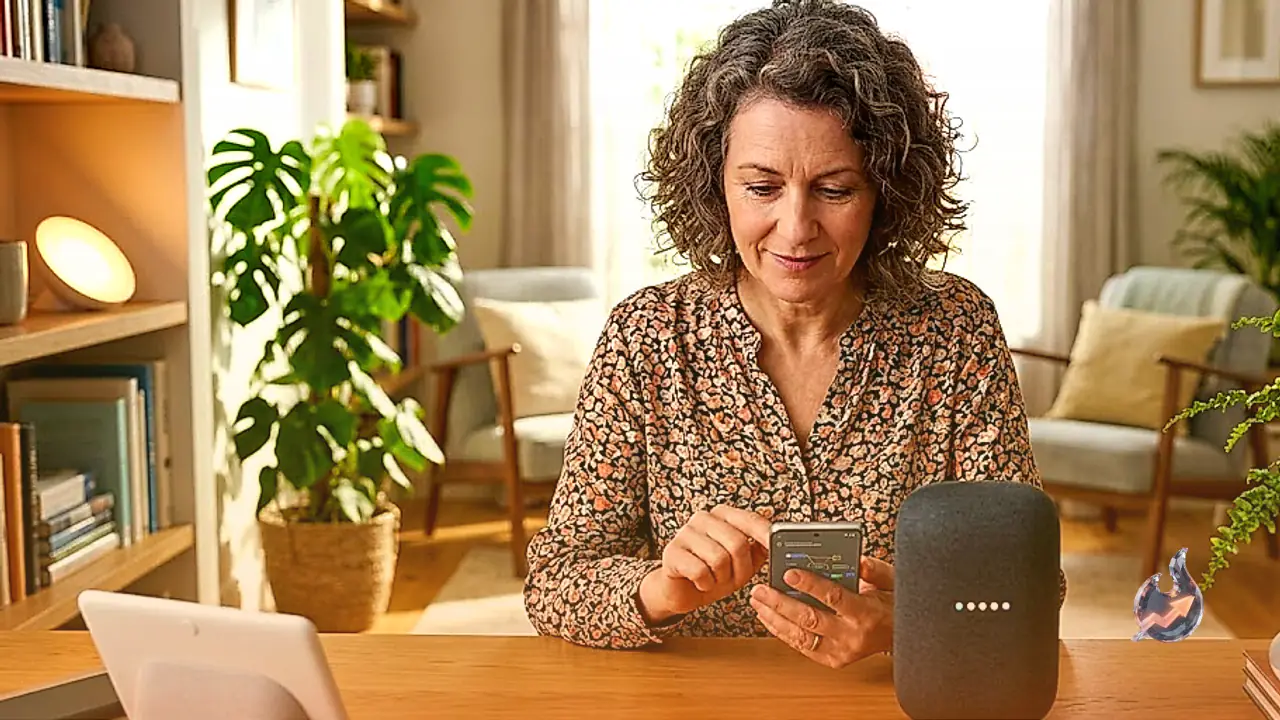
Google Home serves as the central command hub for your smart home, seamlessly connecting everything from smart speakers and lights to plugs, locks, and various home appliances. Whether you are managing a basic setup with just a voice assistant and a light bulb, or controlling a sophisticated network of devices, these 10 hidden tips and tricks will help you optimize your smart home system for maximum efficiency and convenience.

Enable Night mode to prevent disturbances

Google speakers and displays feature a Night mode designed to automatically lower volume and dim display brightness during designated downtime. This ensures you can utilize your voice assistant without waking family members or disturbing the peace. To activate this, open the Google Home app, select Home, navigate to All devices, and perform a long-press on the specific device tile. Proceed to Settings, select Notifications & digital wellbeing, and toggle Night mode on. You can then specify the exact start and end times, as well as the days of the week for this rule to apply.

Also read
Ten Overlooked Apple Home Settings That Turn Basic Automations Into Smart Ones
10 Essential Discord Hacks Every User Should Master

Use Guest Mode for enhanced privacy

When you have guests over for dinner or extended stays, activating Guest Mode is a smart way to protect your personal data. When enabled, Google automatically stops saving voice activity and disables personal results like your Gmail messages and Google Calendar events. This prevents visitors from accessing sensitive information, though they can still play media and control basic smart home functions. To toggle this, simply say, "Hey Google, turn [on/off] Guest Mode."

Designate household contacts for easy access

Your smart speaker is excellent for hands-free calling. By setting up household contacts, you allow anyone—including children or guests—to reach important numbers without needing voice match set up. Within the Google Home app, tap your profile icon, go to Home settings, then Communication, and select Household contacts. While you cannot call 911 directly via voice command, users with a Google Home Premium subscription and sound detection enabled can configure an emergency calling feature for when alarms like smoke or carbon monoxide are triggered.

Use your speaker as a memory vault

If you often lose track of where you placed specific items, you can offload that mental work to Google Home. Your speaker can function as a voice-activated notepad. Use commands like "Hey Google, remember that [item] is in the [location]" to record information. This is particularly useful for tracking seasonal items, tool locations, or even just keeping track of your keys and wallet.

Create a theater experience with device state triggers

If your TV and lights are linked to Google Home, you can create an automation that transforms your living area into a home theater. In the Google Home app, go to the Automations tab, tap Add, and then Add starter. Select "When a device does something" and choose your smart TV. Select a trigger, such as the TV turning on, then add an action to set your lights to a specific brightness level. Save and toggle the routine on to trigger these actions automatically.

Set visual alerts for appliance completion

You can use the same state-based automation logic to monitor household chores. For example, have your smart lights blink when the washing machine cycle finishes. In the Automations menu, add a new starter based on your appliance’s status, such as "Stops" or "Finished," and then select a visual cue or audio announcement as the resulting action. You can even add conditions to ensure this only happens during certain times of the day.

Sync lights and alarms for gentle wake-ups

Avoid jarring wake-up calls by using the Gentle Sleep and Wake feature. This slowly brightens your lights over a 30-minute window leading up to your alarm. On a Nest display, you can simply go to Alarms, select an alarm, and toggle on the Sunrise Alarm feature. You can further customize the light transition and choose a soft, ambient alarm sound for a more pleasant start to your day.

Ask Gemini to build custom automations

Writing complex automation routines can be daunting. With a Google Home Premium subscription and Gemini for Home enabled, you can use natural language to do the work for you. Navigate to Add, then Automations, and finally "Help me create." Describe your goal in plain English, and the AI will suggest and build a routine based on the devices you have available.

Analyze camera footage with Gemini

Stop scrolling through endless hours of Nest video history. If you subscribe to the Google Home Premium Advanced plan, you can ask Gemini to search your video footage for you. Simply ask questions like, "When did the dog walker arrive?" or "Did something eat my garden plants?" to receive a summarized answer based on your specific query.

Strengthen your privacy settings

To prevent Google from storing your voice recordings, head to your Google Account settings, go to Data & Privacy, then Web & App Activity, and uncheck "Include voice and audio activity." Additionally, you can manage your Search Services History and Personalized Recommendations. If you say something accidentally that you do not want recorded, immediately say, "Hey Google, that wasn't for you," to prompt the system to delete that interaction.


What this means for you

General Impact: Implementing these settings will enhance the privacy of your smart home and make your connected devices significantly more convenient to operate.

Across India: Using smart lighting and appliance automation can help manage energy consumption while you are away, which effectively keeps your electricity bills in check.

Questions & Answers

Can I dial 911 directly from a Google Home speaker?
No, you cannot dial 911 directly using a voice command. However, with a premium subscription and sound detection enabled, you can set up an emergency calling feature that links to your phone.
What does Night mode do?
Night mode lowers the speaker volume and dims the display brightness during set downtime hours to prevent disturbing anyone sleeping in the house.
How does Guest Mode work?
When Guest Mode is active, Google stops saving voice activity and disables access to personal information like Gmail and Google Calendar events.
Can I have AI build automations for me?
Yes, if you have a Google Home Premium subscription, you can use Gemini for Home to describe what you want, and the AI will create the automation routine for you.
Ravikash Gupta
About the authorRavikash GuptaSenior Correspondent Lucknow
ExpertiseIndia News, Global Business, Financial Markets, Cryptocurrency, Blockchain, Stock Market Analysis, Corporate News, Startups, Economic Trends, Digital Assets, Investment Insights

Ravikash Gupta is a Senior Correspondent and Editor covering India news, global business, financial markets, and cryptocurrency. He reports on economic trends, crypto developments, and major market-moving events worldwide.

Ravikash Gupta is a Senior Correspondent and Editor specializing in India-focused reporting and global coverage of business, financial markets, and cryptocurrency. He covers breaking news, economic developments, corporate affairs, stock markets, blockchain innovation, and digital asset trends shaping the modern financial ecosystem. With a strong focus on clarity, analysis, and timely reporting, Ravikash delivers insights into global economic shifts, emerging technologies, startup ecosystems, and the evolving crypto landscape. His work connects macroeconomic trends with real-world market impact, helping readers understand both traditional finance and the rapidly changing world of digital assets.

View full profile ↗
#Guides#GoogleHome#SmartHome#GoogleAssistant#SmartSpeaker#Automation#HomePrivacy

Comments 0

Sign in to join the conversation.

Sign in

No comments yet — be the first.

Wall Street's Big Bet on AMZN: Where Could Amazon Stock Land Between 2026 and 2028?Market1
Wall Street's Big Bet on AMZN: Where Could Amazon Stock Land Between 2026 and 2028?
Three Indian Sailors Killed in Gulf of Oman Strike: Shashi Tharoor Tears Into US Over 'Insensitive' Statement, Presses Jaishankar TooPolitics2
Three Indian Sailors Killed in Gulf of Oman Strike: Shashi Tharoor Tears Into US Over 'Insensitive' Statement, Presses Jaishankar Too
FCC's 'Know Your Customer' Plan Could End Anonymous Phones — Plus the Week's Biggest Breaches and BustsSecurity3
FCC's 'Know Your Customer' Plan Could End Anonymous Phones — Plus the Week's Biggest Breaches and Busts

Latest news straight to your inbox

The day's big stories, in one email.

TrendKia बाज़ारAdvertisementमानसून सेल — हर चीज़ पर 50% तक छूटTrendKia बाज़ारअभी खरीदें →
Citizen journalism

Become a TrendKia journalist

Voice of the people

Share news, photos and videos from your area with TrendKia and let your voice reach the nation. Every citizen a journalist.

Join now
CH 01 LIVE
TrendKia TV ON AIR

Related stories

Tired of YouTube Ads? Here Are 10 Free Ways to Watch Without ThemGuides 2
Tired of YouTube Ads? Here Are 10 Free Ways to Watch Without Them
12 hours ago
How to Use AI Browsers Safely: The Ultimate Guide to Protecting Your Personal Data from Modern HacksGuides 3
How to Use AI Browsers Safely: The Ultimate Guide to Protecting Your Personal Data from Modern Hacks
13 hours ago
How to Actually Regulate Your Nervous System: Science vs. Social Media TrendsGuides 2
How to Actually Regulate Your Nervous System: Science vs. Social Media Trends
1 day ago
10 Hidden Preview Hacks Every Apple User Should KnowGuides 3
10 Hidden Preview Hacks Every Apple User Should Know
1 day ago
Crop Protection and Sustainable Farming: A Long-Term Trade Idea Driven by Food SecurityGuides 2
Crop Protection and Sustainable Farming: A Long-Term Trade Idea Driven by Food Security
2 days ago
How to Acclimate to Exercising in the Heat: 3 Proven StrategiesGuides 2
How to Acclimate to Exercising in the Heat: 3 Proven Strategies
3 days ago
How to Use Ayushman Sarathi on WhatsApp for PM-JAY Card: Application and eKYC GuideGuides 2
How to Use Ayushman Sarathi on WhatsApp for PM-JAY Card: Application and eKYC Guide
3 days ago
Voter List Verification Begins in Karnataka After Two Decades: Step-by-Step Guide to Online Form SubmissionGuides 2
Voter List Verification Begins in Karnataka After Two Decades: Step-by-Step Guide to Online Form Submission
3 days ago