























On any given day you reach for your phone hundreds of times. To check the weather, to see a calendar update, to find out whether the train is still on time, to glance at the timer you set for the pasta, to keep half an eye on the group chats while you cook. Each of these takes only a few seconds, but together they slice the day into a hundred tiny interruptions that keep breaking your concentration.
The Samsung Galaxy S26 series is built to smooth out exactly this kind of friction. Two features in particular take over the bulk of the repetitive bits of your day. The first lives on your lock screen and lays out your whole schedule at a glance, while the second runs in the background and handles the routines you would otherwise have to manage by hand.
Now Brief tells you what is coming before you ask
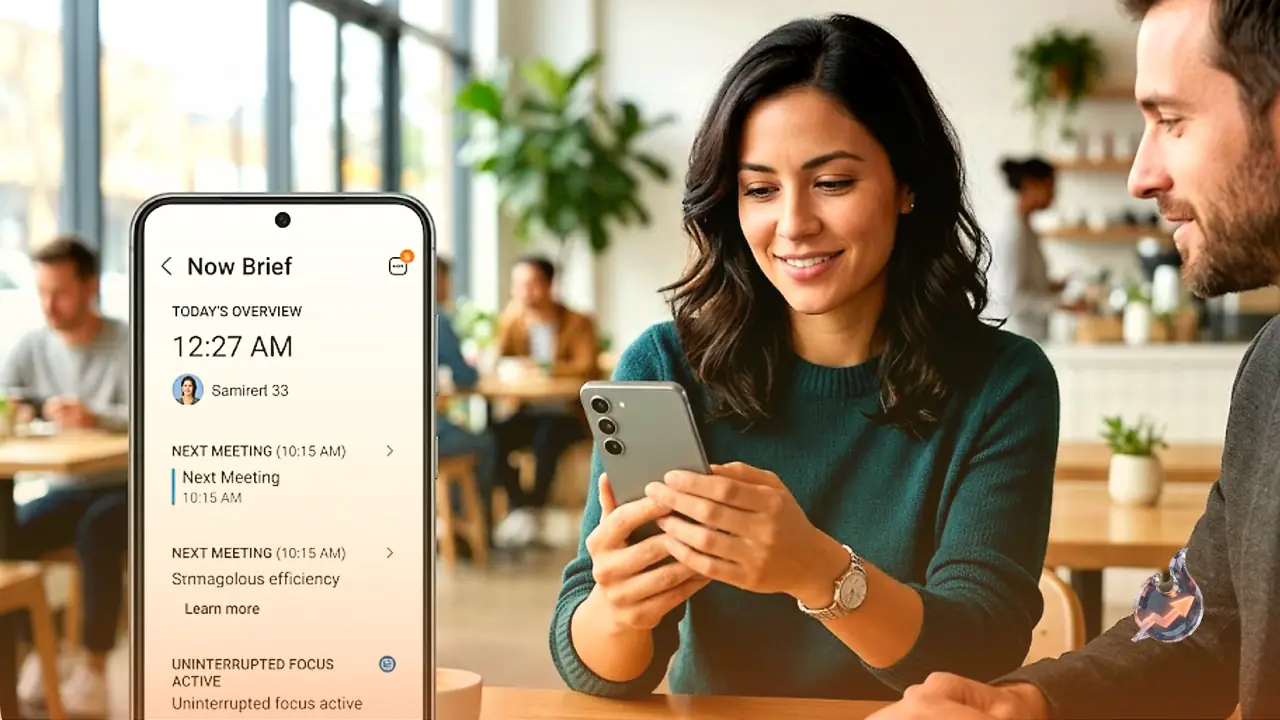
Now Brief is the Galaxy S26's improved daily summary, shown on the lock screen as a widget you can read without even unlocking the phone. The morning version is the one most people will lean on. It gives you a quick picture of the day ahead, from a 9 a.m. stand-up to a lunch reservation across town at noon, the rain forecast for the afternoon and the school pick-up planned for 4 p.m. It might also remind you that your dog still needs a walk, or that a parcel is due before lunch.
The feature draws on your calendar, your weather app and supported categories like health, travel, news and SmartThings, so you know the shape of your day the moment you wake up. It also refreshes through the day, serving up an afternoon and an evening version tailored to what is left.
The best part is how much it surfaces things you never explicitly added, especially after a couple of weeks. The more you use it, the smarter it gets and the more closely it tunes itself to your schedule.
That personalisation comes from the Personal Data Engine, which works behind the scenes to spot relevant information across your apps and present it effortlessly. As a bonus, the processing happens on the device itself wherever possible rather than in the cloud, so less of your data ever leaves your hands.
Now Bar keeps the live stuff one glance away
Now Bar is Now Brief's sibling, and it handles real-time activity such as music controls, active timers, navigation prompts, voice recording sessions and live sports scores. Now Brief gives you the overview, while Now Bar shows you what is happening right now.
Picture a typical cooking session with a podcast playing, a 20-minute oven timer running and the live score from a football match you are half-watching in the background. On most phones that means swiping between three apps every time you want to check something. On the Galaxy S26 it all sits on the Now Bar at the bottom of the lock screen, so you neither burn the lasagne nor miss a winning goal.
Automation handles the routines you used to do by hand
Automation lives in the Modes and Routines section of Settings, and it is a tidy bit of design that harks back to early-2010s tools like IFTTT (If This, Then That).
Under Modes and Routines you set an 'if' condition and a 'then' action, and the phone takes care of the rest. Possible triggers include location, time of day, a Bluetooth connection, a WiFi network, an app opening or closing, charging status and headphones connecting.
A few routines worth setting up:
- When your car's Bluetooth connects, Driving Mode switches on, Maps opens and your 'on the road' playlist starts automatically, so your hands stay on the wheel from the moment you buckle in.
- When you pop in your headphones at the gym, Do Not Disturb turns on and your 'pump it up' playlist queues up to get you in the zone.
- On weekdays at 9 p.m., work-app notifications go silent and the display switches to Dark Mode.
- When you leave the office, personal notifications come back on, work notifications are muted and a 'buy milk' reminder pops up for the shopping you keep putting off.
You can browse the preset Modes the device ships with (Sleep, Driving, Exercise, Work and Relax) for inspiration, or build your own from the '+' icon at the top of the Routines tab. The settings are granular enough to chain several conditions together, such as 'WiFi connected to your home network and it is after 7 p.m. and the phone is charging', for routines that only kick in under very specific circumstances.
Other features that streamline your life
The device's Galaxy AI features tackle other everyday headaches. Photo Assist and Creative Studio let you polish photos or remix them into shareable content for social media, while Call Screening gives you relief from spam. Keep in mind that Photo Assist needs a network connection and a Samsung account login, and a visible watermark is added to the saved image to show it was generated by Galaxy AI.
On the hardware side, Privacy Display offers peace of mind that whatever is on your screen, whether embarrassing messages from mum, dating app notifications or sensitive banking details, stays for your eyes only. The feature is available on the Galaxy S26 Ultra. Switch it on in Settings under Display, then use the Quick panel icon to toggle it whenever you need it. With it built in, you no longer have to hunt for the corner seat in a cafe or contort yourself to shield your screen from fellow passengers on the commute home.
Saving time works like compound interest. Saving thirty seconds, fifty times a day, adds up to a noticeable chunk by the end of the week. With the Galaxy S26 you do the configuring once, and the device keeps cashing the dividends.