






















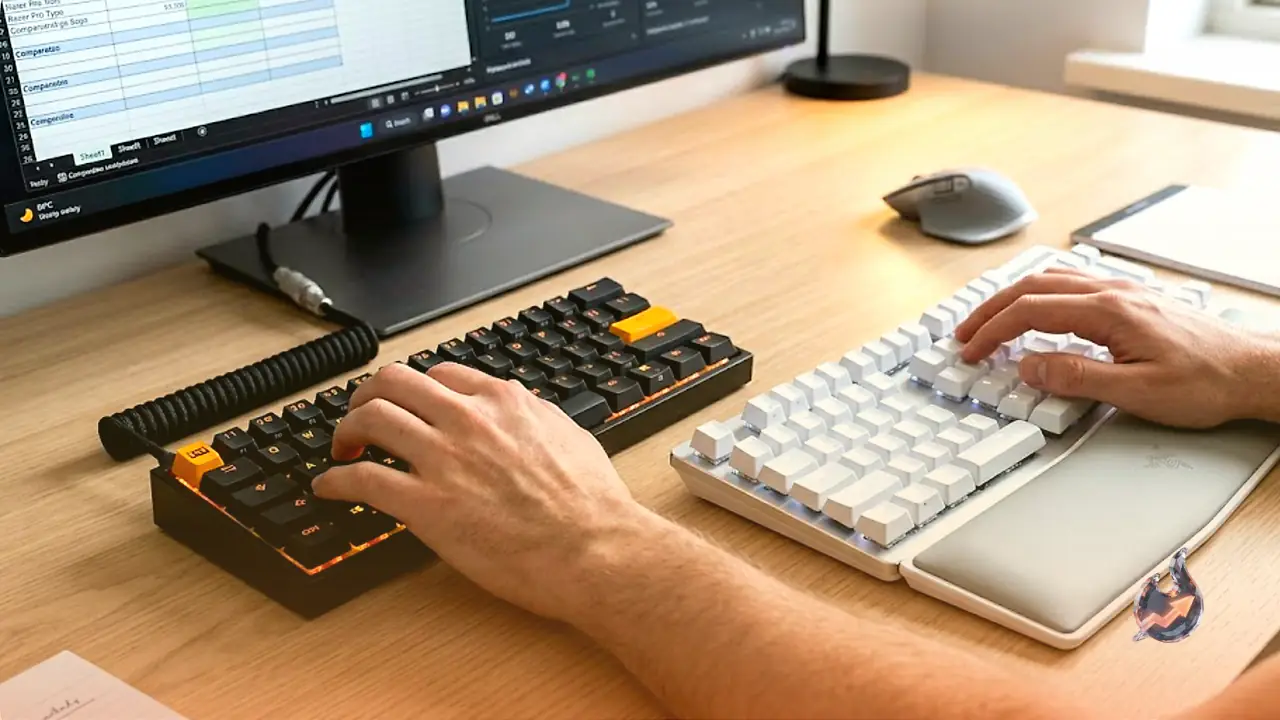

In the modern digital landscape, the humble computer keyboard serves as our primary gateway to communication, creation, and professional output. While many of us take this peripheral for granted, utilizing it for hours on end without a second thought, the quality of your typing tool directly influences your daily comfort, productivity, and physical well-being. A thoughtfully designed keyboard not only elevates your speed and accuracy but also turns mundane typing tasks into a genuinely satisfying tactile experience. If you spend a significant portion of your day in front of a monitor, whether you are drafting reports, writing code, or simply browsing the web, investing in the right device is paramount.
The Focus of Our Evaluation: Comfort and Everyday Efficiency
While mechanical enthusiasts often chase specialized modifications, this guide deliberately pivots toward lower-profile designs and practical, non-mechanical alternatives tailored for the everyday user. The primary objective here is typing comfort, ergonomic safety, and daily efficiency, rather than highly specialized mechanical feedback or hobbyist customizations like hot-swappable sockets and rare keycap replacements. Our assessments are curated to help casual typists find tools that make their work hours effortless. To reflect the latest technological advancements, this comparative analysis was completely overhauled in July 2026 with fresh recommendations and practical consumer advice.
An In-Depth Look at the Wooting 60HE v2: The Ultimate Hall Effect Keyboard
The original Wooting 60HE was highly regarded, but the upgraded Wooting 60HE v2 elevates the user experience in nearly every conceivable way. It now boasts an extraordinary polling rate of 8,000 Hz, meaning the computer checks for key inputs eight times every single millisecond. The magnetic switches have been thoroughly updated, and the physical mounting structure has transitioned from a rigid tray-mount design to a premium isolation mount. This structural shift cushions the internal components, delivering a softer typing feel and a much more dampened, pleasant acoustic output. Additionally, the 60HE v2 is one of the very few Hall Effect keyboards available with a split spacebar option, which dramatically boosts multitasking efficiency and gaming ergonomics once you adjust to the layout.
Though it lacks wireless capabilities, the wired-only Wooting 60HE v2 compensates by offering an industry-leading feature set. Its compact 60 percent layout fits comfortably on space-constrained desks and uses standard aftermarket dimensions, allowing users to easily swap or upgrade the outer casing down the line. It is also one of the rare mainstream magnetic keyboards utilizing standardized switch designs, making it compatible with a vast array of aftermarket switches. Through its intuitive Wootility software, users can customize actuation distance down to the millimeter and program multi-input commands, providing unparalleled performance for high-speed gaming. However, potential buyers should note that the compact 60 percent frame eliminates dedicated arrow keys and the number pad, which might require a minor adjustment period.
The Razer Pro Type Ergo: A High Price Tag with Mixed Results
On the other end of the testing spectrum is the Razer Pro Type Ergo. While this keyboard is stable and offers a decent typing feel, its hefty $200 price point makes it incredibly difficult to justify. Constructed primarily with a plastic chassis and featuring laptop-like chiclet-style keys across a 66-key layout, it fails to deliver the premium experience expected at this pricing tier. Unless you are deeply integrated into the Razer ecosystem or absolutely require their signature Chroma RGB lighting, there are far more affordable options on the market that deliver virtually identical typing performance, making the Pro Type Ergo a tough sell for value-conscious consumers.
Understanding Switch Technologies: From Membrane to Hall Effect
To make an informed purchase, it is vital to understand the technology powering your keys. A keyboard's typing experience is largely dictated by its layout and the specific switches resting beneath the plastic keycaps. The physical switches determine the resistance, sound, and overall responsiveness of each press. Here is a breakdown of the most common switch technologies you will encounter today:
Membrane Switches
Membrane switches are the most cost-effective to manufacture, explaining their absolute dominance in traditional office spaces and school computer labs. This design utilizes a unified sheet of rubber domes embedded with electrical contacts. When you depress a key, it pushes down on the rubber dome to close the circuit and register the press. While membrane keyboards are highly durable and naturally resistant to minor liquid spills, they are widely criticized for their mushy, unresponsive typing feel, which can lead to finger fatigue during extended typing sessions.
Low-Profile Mechanical Switches
These switches operate on the same tactile principles as standard mechanical key switches but compress the entire physical movement into a much thinner profile. They offer a shorter travel distance, require specialized keycaps, and lack the universal standardization of full-height mechanical switches. Due to their ultra-slim footprint, they are ideal for sleek desktop boards or dedicated key clusters on specialized devices, such as the integrated mouse buttons found on the HHKB Studio.
Hall Effect Switches
Though they resemble traditional mechanical switches in shape and physical feel, Hall Effect switches register inputs through entirely different scientific principles. Instead of relying on physical metal-on-metal contacts that wear down over time, Hall Effect switches use built-in magnets and electromagnetic sensors. The internal sensor measures the exact distance the magnet has traveled, allowing users to program custom actuation points or map different actions to varying press depths (multi-input). In contrast, traditional switches can only trigger at one fixed distance. The primary trade-off is that nearly all Hall Effect switches are linear, meaning they lack the physical tactile bump or audible click of traditional mechanical models. Consequently, many typing enthusiasts still prefer the mechanical sensation of traditional keyboards.
Essential Buying Factors for Your Next Keyboard
With an overwhelming number of features advertised on retail boxes, deciding on the right specifications can be daunting. Keep these core parameters in mind to narrow down your choices:
TrendKia or Wireless Connection
TrendKia keyboards offer absolute reliability, zero latency, and never require recharging. Wireless models, however, provide unmatched desk aesthetic freedom and portability. When exploring wireless options, pay close attention to the estimated battery life, whether they utilize rechargeable lithium-ion cells or standard alkaline batteries, and the convenience of their charging port design.
Wireless Connectivity Type
Wireless peripherals typically connect using either a dedicated 2.4-GHz USB dongle or standard Bluetooth. A 2.4-GHz connection offers maximum signal stability and higher polling rates, making it ideal for gaming. Bluetooth, while operating at slightly lower polling speeds, is highly versatile because it allows you to connect directly to laptops, tablets, and phones without plugging in an external USB receiver.
Multi-Device Pairing
Many premium wireless keyboards can pair with multiple devices simultaneously. If your workspace involves a personal desktop, a work laptop, and a tablet, look for models that allow you to seamlessly switch between paired devices at the tap of a button.
Polling Rate
Measured in Hertz (Hz), this value dictates how many times per second the keyboard reports inputs to your operating system. Standard office peripherals operate at a modest 125 Hz, while performance-focused gear easily hits 1,000 Hz or more. While 125 Hz is perfectly fine for basic writing and emailing, high-stakes, fast-paced gaming benefits greatly from rates of up to 8,000 Hz, reducing input lag to a fraction of a millisecond.
Customization Software
Modern keyboards heavily market their software customizability. However, the software must be intuitive and easy to use. Some configuration apps are cluttered and confusing, while others, like Keychron's Launcher, Razer Synapse, and Wooting's Wootility, offer clear explanations, hover-over tooltips, and straightforward mapping systems.
Technical Glossary for Smart Buyers
- Hz (Hertz): The unit used to measure polling rate, indicating how frequently the keyboard transmits input data to the computer per second.
- 2.4 GHz: A fast radio frequency used by wireless peripherals and their paired USB dongles to maintain a low-latency connection.
- Gasket Mounting: A premium construction style where the keyboard’s internal plate assembly is cushioned by rubber gaskets between the top and bottom case frames, rather than being screwed directly to rigid plastic standoffs. This reduces vibration and creates a softer, quieter typing experience.
- Function Layers: Secondary command mappings accessed by holding down a designated "Fn" key. This allows compact boards to retain media controls, screen brightness adjustment, and F1-F12 key functions without needing physical dedicated buttons.
Our Rigorous Testing and Evaluation Process
Every keyboard evaluated undergoes an extensive testing phase lasting at least a full week, and often much longer. They are put through real-world scenarios including heavy gaming, content creation, prolonged document writing, web browsing, video editing, and programming. We take exhaustive notes on responsiveness, ergonomic fatigue, software bugs, and physical reliability. After field-testing, we disassemble each keyboard to critique the internal engineering, structural stability, and material choices, comparing each board against its direct price-bracket competitors.
Exclusive Savings and Promotional Offers
Take advantage of these active promotional deals and coupon savings:
- Save 10% on your next plan with an exclusive Squarespace Promo Code 2026.
- Get 10 lines for $200 and add new lines for just $20 each on CoreMobile.
- Unlock 10% off your next purchase with a Home Depot Sign-up Promo Code.
- Enjoy a 10% off Dell Coupon Code available for all new customers.