























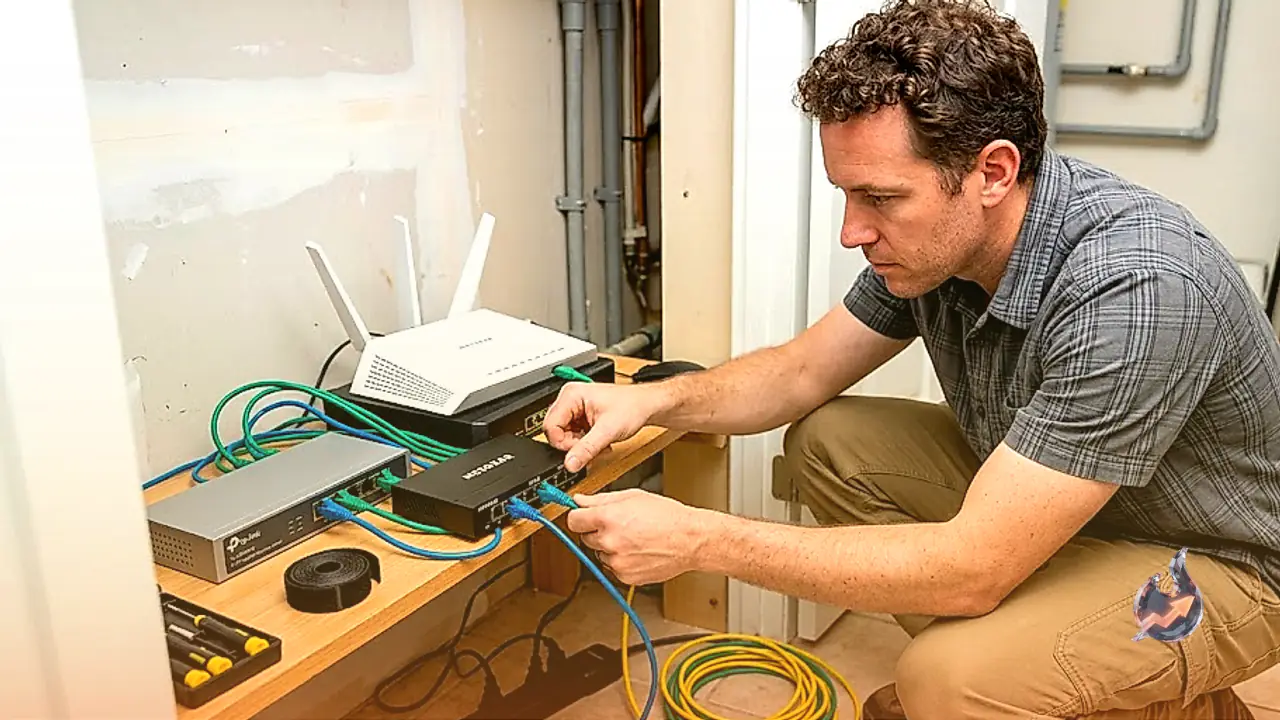

Modern wireless routers and mesh Wi-Fi systems deliver impressive speed and coverage across living spaces, yet they frequently come with a major physical bottleneck: a limited number of wired LAN ports. As home setups expand to include smart televisions, gaming consoles, desktop computers, network-attached storage units, and security systems, relying solely on wireless signals can lead to latency spikes and signal interference. Ethernet switches resolve this limitation by expanding a single incoming router connection into multiple dedicated, high-speed wired ports. Wiring stationary devices directly into a switch guarantees maximum data throughput, reduced lag, and enhanced network security without overloading the wireless spectrum.
Choosing Between Unmanaged, Managed, and Smart Switches
Understanding network management requirements is the first step in selecting an appropriate Ethernet switch. Hardware options fall into three distinct functional tiers, each tailored to different technical demands and budget levels.
Unmanaged Ethernet switches operate on a straightforward plug-and-play basis. They require no manual configuration, background software installation, or ongoing technical maintenance. When connected to a router, an unmanaged switch automatically routes network traffic between connected devices. This simplicity makes unmanaged hardware the most cost-effective and hassle-free choice for typical household users who simply need to plug in extra gaming systems, streaming devices, or office PCs.
Managed Ethernet switches offer comprehensive administrative control over network infrastructure. Operating through dedicated IP web browser interfaces or specialized console clients, managed switches allow network administrators to create virtual local area networks (VLANs), restrict per-port bandwidth, configure Quality of Service (QoS) rules to prioritize sensitive data packets, and monitor traffic logs. Managed units are ideal for advanced users or businesses seeking to isolate specific equipment, such as internet protocol (IP) surveillance cameras, from the main corporate or residential network.
Smart switches represent a middle ground between unmanaged simplicity and managed complexity. Out of the box, smart switches function immediately as basic unmanaged devices. However, they include accessible web-based management software that permits light configuration. Users can establish basic VLANs, enable port mirroring for diagnostic checks, and apply QoS settings without needing enterprise-grade networking expertise.
Top Market Recommendations: Netgear and TP-Link Solutions
For home and small-office environments, affordable models from established networking brands like Netgear and TP-Link offer robust build quality and consistent performance.
For basic expansion needing just a few additional ports, compact 5-port Gigabit unmanaged switches from Netgear provide an effortless solution. Housed in a durable metal casing, these devices operate completely fanlessly for total silence. Each of the five Gigabit ports features a dedicated green LED indicator to show active connections at a glance. Included with a dedicated power adapter, these low-profile units can be wall-mounted or tucked discreetly inside cable management boxes.
Users seeking greater capacity alongside control options can consider an 8-port Gigabit smart switch from Netgear. Featuring eight auto-sensing Gigabit Ethernet ports that support speeds up to 1,000 Mbps each, this switch combines plug-and-play deployment with fanless silent operation. Its built-in web configuration tool allows users to set up VLANs, prioritize bandwidth using QoS, and mirror ports for network analysis.
For budget-conscious buyers and specialized installations, TP-Link offers highly reliable hardware. A notable option is an 8-port Gigabit switch equipped with Power over Ethernet (PoE) functionality. Designed with front-facing status LEDs and rear-mounted Ethernet ports to keep cabling organized, this heavy-duty unit features four dedicated PoE ports. These four ports supply both data and electrical power, supporting up to 30 watts per port with a cumulative power ceiling of 64 watts. Because it uses a fanless passive cooling design, the metal enclosure operates silently, though it can become warm to the touch during heavy multi-device power delivery.
While Netgear and TP-Link serve the vast majority of residential requirements, other reputable industry manufacturers include Cisco, Trendnet, Zyxel, and Ubiquiti. Consumers are advised to avoid unbranded or obscure hardware manufacturers, as unverified switches often suffer from inadequate power regulation, poor backplane throughput, and missing firmware security maintenance.
Power over Ethernet (PoE) Standards and Power Budgets Explained
Power over Ethernet (PoE) technology simplifies hardware deployments by transmitting electrical power and network data over a single standard Ethernet cable. This eliminates the need to install separate electrical outlets near ceiling-mounted access points, outdoor security cameras, or VoIP desk phones.
When selecting a PoE switch, buyers must evaluate both individual port capacity and the total power budget of the hardware. Different IEEE industry standards define the maximum wattage available per port
- Type 1 (IEEE 802.3af / standard PoE): Delivers up to 15 watts per port, suitable for basic IP phones and simple indoor security cameras.
- Type 2 (IEEE 802.3at / PoE+): Supplies up to 30 watts per port, providing sufficient power for pan-tilt-zoom (PTZ) cameras, video phones, and dual-band wireless access points.
- Type 3 (IEEE 802.3bt / PoE++): Delivers up to 60 watts per port, supporting high-power access points, building access controllers, and multi-lens cameras.
- Type 4 (IEEE 802.3bt / PoE++): Provides up to 90 watts per port, capable of powering high-demand equipment like outdoor LED lighting systems and flat-panel displays.
Ensuring that the total power draw of all connected devices remains within the switch's overall wattage ceiling is critical. Connecting multiple power-heavy devices to a switch with an insufficient power budget can cause equipment brownouts or port shutdowns.
Calculating Port Capacity, Internet Speeds, and Backplane Limits
Ethernet switches come in diverse physical sizes, ranging from compact 4-port units to expansive 24-port or 48-port rackmount chassis. When choosing a size, planning for extra capacity is recommended. Selecting a switch with several unused ports leaves room for future device additions without requiring hardware replacements. Additionally, users must remember that one port on the switch will always be consumed by the incoming uplink cable connected to the main router.
Understanding throughput limits prevents performance bottlenecks. Standard residential switches feature Gigabit ports rated at 1 Gbps (1,000 Mbps) maximum per port. However, every switch also operates under a total backplane bandwidth limit. If an 8-port Gigabit switch possesses a 4-Gbps backplane limit, data throughput drops to a theoretical maximum of 500 Mbps per port if all ports transmit heavy traffic simultaneously. Real-world speeds are typically lower due to network overhead and protocol efficiency losses.
Furthermore, external internet speeds dictate WAN performance across the network. If a home internet connection tops out at 2 Gbps and eight connected devices demand maximum bandwidth at the exact same moment, each device receives a maximum of 250 Mbps for internet downloads. However, local area network (LAN) communications remain uninhibited by internet caps. Transferring large files between a computer and a local media server connected to the same Gigabit switch will proceed at full internal switch speeds regardless of internet provider limits.
Ethernet Cabling Requirements for Optimal Data and Power Delivery
Selecting appropriate network cables is essential for maintaining signal integrity and power efficiency. For standard data transmissions up to 1 Gbps, affordable category patch cables (such as Cat5e or Cat6) are fully sufficient for residential use.
However, when deploying Power over Ethernet devices, cable specifications become far more critical. PoE connections carry continuous electrical currents alongside high-frequency data signals. Using low-quality or ultra-thin copper-clad aluminum (CCA) cables can result in excessive electrical resistance, heat accumulation, and voltage drops. For reliable PoE performance, pure bare copper Cat6 or Cat6a cabling should be utilized to ensure safe power delivery and sustained gigabit speeds over longer distances.