























Finding a full-featured laptop tailored specifically for dedicated Linux workflows has historically involved compromise, but the System76 Pangolin Pro aims to set a modern benchmark. In 2026, working on an open-source operating system should not require wading through community forums or wrestling with missing hardware drivers. Delivering out-of-the-box readiness with robust build quality and commendable battery efficiency, this 16-inch portable computer shows how seamlessly specialized software and hardware can operate together.
Practical Aluminum Chassis and Thermal Design
The exterior of the Pangolin Pro prioritizes practical utility over flashy aesthetics. Encased in a functional slab of rigid metal, the chassis is built to handle regular desk and travel use. Given the broad 16-inch footprint, pressing firmly down on the center of the deck reveals slight flex around the keyboard, yet this does not intrude during standard typing sessions. Cooling is well addressed across the underside, where generous venting allows the dual internal fans to pull ample airflow when heavy computational workloads kick into high gear. While System76 manufactures its desktop computers directly, its laptop line relies on customized white-label chassis paired with carefully selected internal components and custom proprietary firmware.
Comprehensive Port Selection Without Adapters
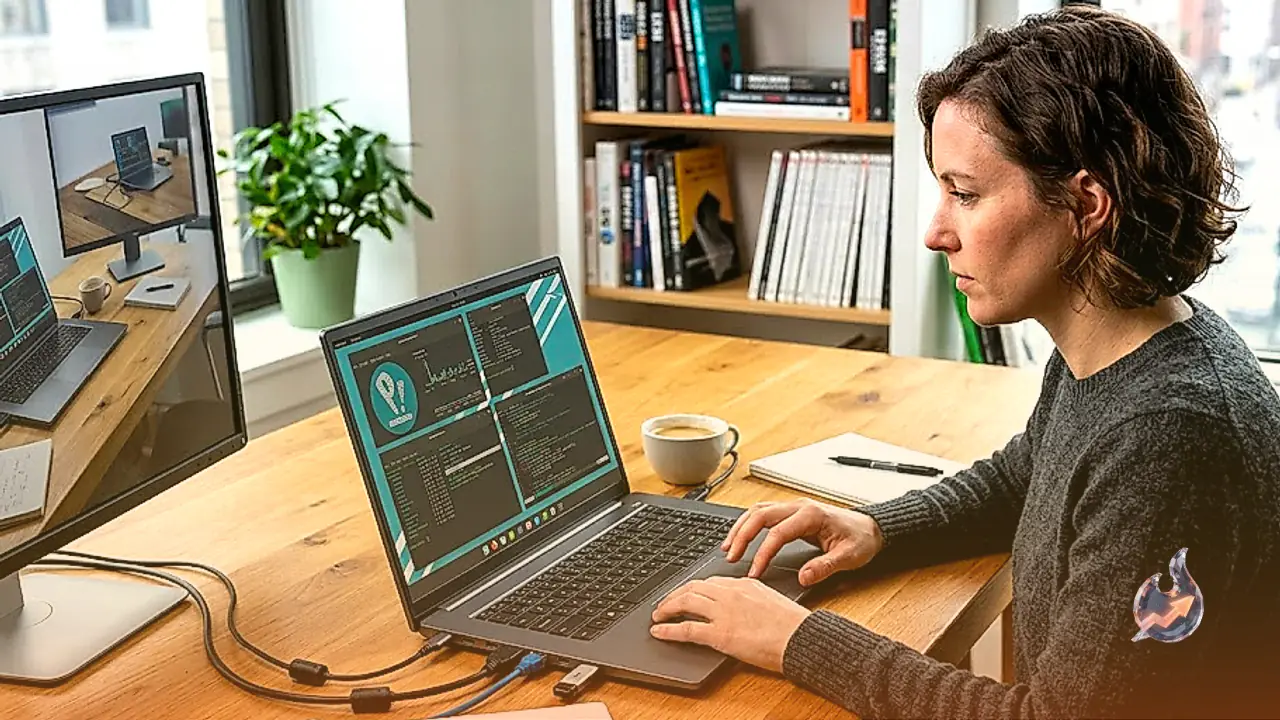
Modern notebook designs frequently eliminate legacy connectors, forcing professionals to rely on external dongles. The Pangolin Pro takes the opposite approach by equipping users with nearly every interface required for day-to-day work. The laptop features two USB-C ports, with one adhering to USB 4.0 specifications and the other running at USB 3.2 Gen 2 speeds. Users also get three USB-A ports, a microSD card slot, an RJ45 Ethernet jack, and an HDMI output for external monitors.
For creatives and engineers requiring substantial graphics bandwidth, the inclusion of an OCuLink port is a standout addition. This high-speed interface enables direct connection to an external GPU or docking system without incurring the severe bandwidth bottlenecks common to older expansion protocols. While positioning the two USB-C ports on opposite sides would have simplified power delivery routing, and trading one USB-A jack for a third USB-C connector would modernize the layout further, the overall port array remains exceptionally practical.
AMD Silicon, Expandable Memory, and Massive Storage
Under the hood, processing is handled by an AMD Ryzen AI 7 350 chip, complemented by integrated AMD Radeon 860M graphics. Base configurations begin with 16 GB of DDR5 RAM, with factory options scaling up to 96 GB for demanding virtualization and development tasks; the test configuration functioned smoothly with 32 GB. Thermal management keeps the silicon running reliably even through extended compilation runs.
Storage versatility is equally notable thanks to two dedicated M.2 slots. By default, only the primary boot drive is populated, starting at 1 TB. Both slots support NVMe solid-state drives up to 8 TB each, allowing the machine to house an astonishing 16 TB of total internal storage. While opting for maximum memory and maxed-out solid-state capacity pushes the total price tag to a steep $6,103 given broader component market pricing, the modularity ensures long-term upgradeability.
Input Hardware, Glass Trackpad, and Webcam
The input deck includes a spacious chiclet-style keyboard that incorporates a dedicated numerical keypad on the right side. The keys feature shallow travel with a flat profile, delivering slightly crisper tactile responsiveness than a 2025 MacBook Air, though falling short of the deeper key action found on a Framework 13. Below the keys sits an expansive glass trackpad, which offers generous surface area for navigating photo editing software or timeline scrubbing. However, due to its sheer scale, resting palms can occasionally trigger accidental bottom-corner clicks if hands drift away from the home row.
A 2-MP 1080p webcam sits in the top bezel, offering adequate video clarity for routine catch-ups with friends and family, though serious professionals handling frequent corporate video conferences will likely prefer an external camera setup. Open-source enthusiasts should also keep in mind that Coreboot does not currently support the AMD Ryzen architecture, meaning the Pangolin Pro does not run open firmware.
Pop!_OS and Cosmic Desktop Integration
Software stability is anchored by System76's Pop!_OS Linux distribution, featuring the Cosmic Desktop and custom utility suites designed for friction-free computing. The operating system avoids imposing arbitrary roadblocks, making creative tasks in Darktable for RAW processing or DaVinci Resolve for video editing straightforward. Peripheral support is equally polished, allowing straightforward printing across standard hardware where driver conflicts once caused frustration.
For power users, Pop!_OS combines ease of use with deep configurability. Features such as automatic window tiling can be toggled on or off with a simple settings switch, letting beginners stick to traditional window management while allowing multitaskers to maximize screen space. Extensive keyboard shortcuts cater to mouse-free workflows, and responsive trackpad gestures streamline switching between virtual workspaces. For developers and Linux advocates seeking a competent 16-inch workhorse that balances weight, price, and functional connectivity, the Pangolin Pro represents a compelling, highly dependable platform.