






















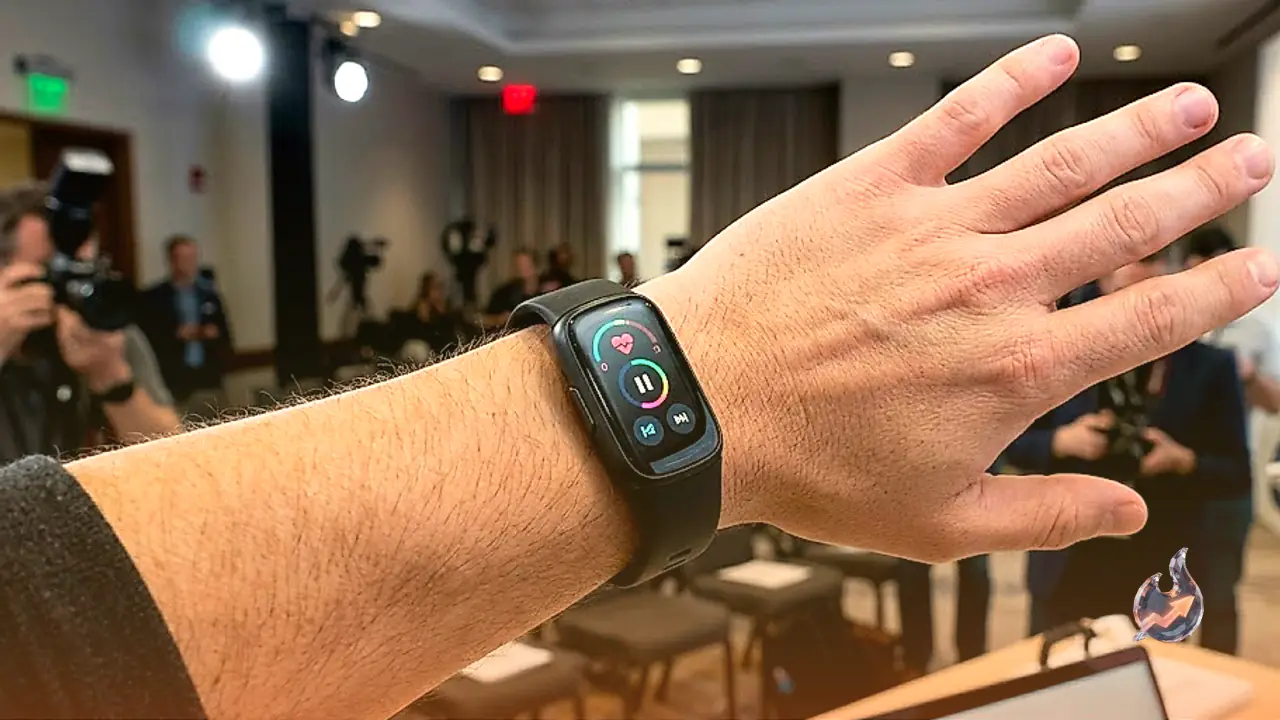

Google has officially introduced the Fitbit Edge, marking the brand's first fitness tracker with a built-in display in three years. Pre-orders are now open for the activity tracker, prompting longtime users to examine how this new release measures up against the Charge 6. In terms of product design, the Edge occupies the middle ground between the screenless Fitbit Air and the rounded glass aesthetic of the Pixel Watch. Under the hood, it operates on the same lightweight system found on the Fitbit Air rather than the complete operating system powering Pixel watches. Compatibility remains consistent with earlier generations, allowing the Edge to pair seamlessly with both Android handsets and iPhones. A close look reveals four critical improvements alongside two functions that were left out.
Return of a Dedicated Tactile Side Button
The most immediate physical improvement on the Fitbit Edge is the inclusion of a genuine mechanical button on the right edge of its chassis. It delivers a distinct tactile and audible click when pressed, maintaining physical responsiveness even while the tracker is powered down. This stands in sharp contrast to the Charge 6, which used an inductive haptic indentation that required squeezing. That previous mechanism frequently suffered from unreliable touch recognition, often failing to buzz or register user input during active use. The real switch ensures effortless navigation through menus during vigorous activities.
Hardware Altimeter Reintroduced for Elevation Metrics
Sensor hardware receives a major boost with the return of an integrated altimeter inside the Fitbit Edge. Fitbit had abandoned this particular sensor after the Charge 4, leaving subsequent generations unable to measure vertical movement natively. The altimeter detects changes in atmospheric pressure to calculate altitude, enabling the device to count how many flights of stairs or floors a wearer climbs throughout the day. It also delivers significantly more dependable metrics when jogging, walking, or hiking across steep terrain.
Upgraded GPS Hardware and Outdoor Route Tracking
Independent navigation remains a key capability on the Edge, just as it was on the Charge 6. Built-in GPS components allow the wearable to track real-time outdoor coordinates and running pace without needing a companion smartphone in a pocket. This separates it from the screenless Fitbit Air, which lacks onboard location hardware and must pull coordinates directly from a paired phone. Furthermore, the Charge 6 suffered from a known structural design issue where strapping the band firmly against the wrist put stress on the antenna, producing heavily warped route maps. Google indicates that the Edge incorporates a redesigned, superior GPS chipset aimed at eliminating those tracking distortions.
Removal of Google Pay and NFC Contactless Transactions
The most pronounced step backward on the Fitbit Edge is the complete elimination of near-field communication (NFC) hardware. On the Charge 6, wearers could configure Google Wallet to make tap-to-pay purchases at retail payment terminals. That functionality allowed runners and walkers to leave cash and cards at home while retaining the ability to buy refreshments during workouts. On the Edge, contactless transactions are unavailable, likely due to internal packaging constraints when fitting other sensors into the casing. Anyone relying on their tracker for routine payments will feel this absence.
Universal Media Playback Controls Across All Apps
Audio management on the Charge 6 proved to be an ongoing frustration because its onboard controls were locked exclusively to YouTube Music. Wearers were forced to maintain an active paid subscription just to control playback from their wrists, leaving subscribers of Spotify, Apple Music, and other audio services completely shut out. The Fitbit Edge eliminates this artificial wall. Google has configured the wearable to manage whatever media session is currently active on the paired phone, behaving like a standard smartwatch media controller.
Initial Absence of Google Maps Directions
At launch, the Fitbit Edge does not provide Google Maps navigation prompts, though official documentation confirms the feature is planned for a future rollout. On the previous Charge 6, this integration was confined to basic turn-by-turn text prompts rather than rich graphic map overviews. While its temporary omission is manageable given the confirmation that it will arrive via an update, users who relied on quick navigation prompts on their wrists will need to wait. The Google Fitbit Edge is offered in a Pyrite and Olive colorway with both small and large wristbands included in the package.