























Investing in a reliable Network Attached Storage (NAS) device is one of the smartest moves you can make to safeguard your family's digital assets and create a custom media hub. Setting up a personal cloud server is a fantastic way to bypass expensive, recurring subscription streaming packages. To help you find the absolute best options, TrendKia spent several months rigorously testing top-tier NAS systems designed for everyday household use.
Our Champion: Synology’s Incredible Two-Bay NAS
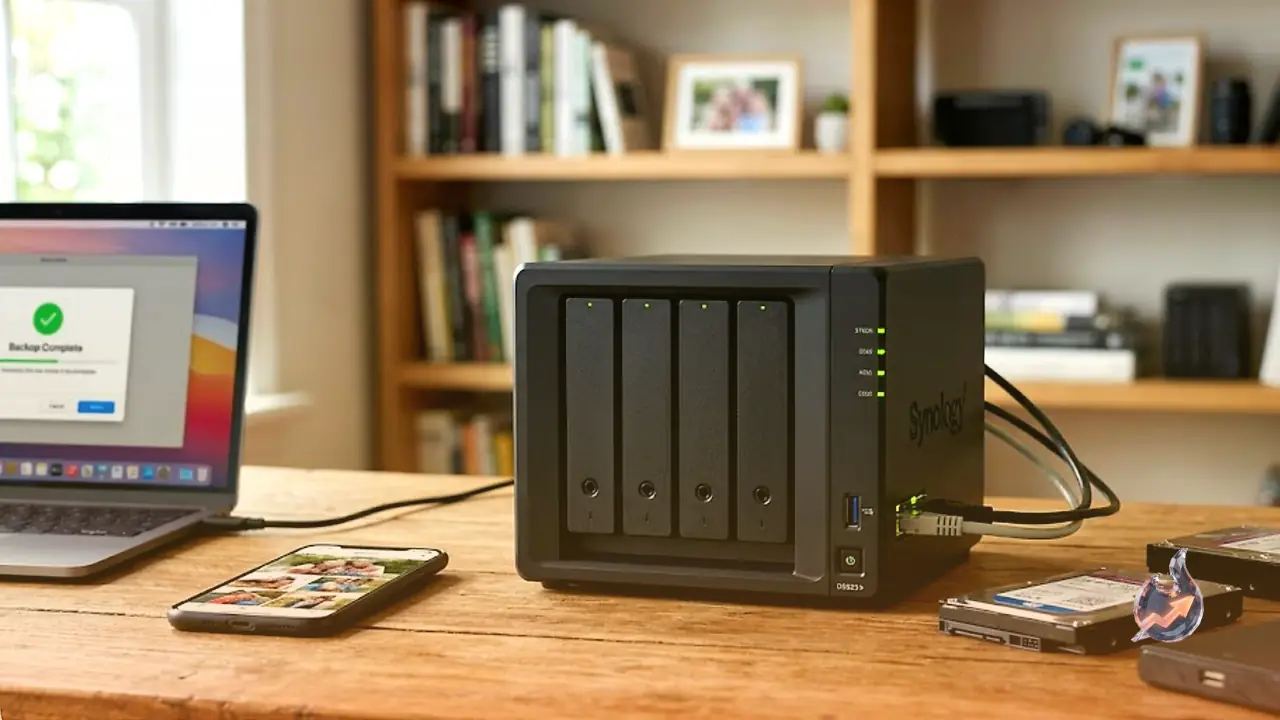
Synology remains the powerhouse of the NAS market, and their signature two-bay model is the ideal match for an average home setup. During our benchmark tests, this device consistently proved to be incredibly fast, pushing speeds close to 300 MB/s for reading and 250 MB/s for writing. It is worth noting, however, that if any element of your home network, such as your router, cables, or switches, is capped at 1 Gbps, your file transfer speeds will drop to slightly over 100 MB/s.
The hardware configuration is exceptionally robust. It includes a versatile range of ports, featuring 2.5-Gbps and 1-Gbps Ethernet ports alongside front and rear USB ports. Inside, it runs on a capable quad-core Intel Celeron J4125 processor, backed by 2 GB of RAM that you can easily upgrade to 6 GB. It accommodates two drives for a maximum capacity of 40 TB. The compact chassis is reasonably quiet, emitting only minor fan noise when under heavy workloads. Additionally, its tool-free, screwless drive trays make physical installation incredibly quick.
The companion web interface and mobile software are the most polished and intuitive we evaluated. Synology supports a vast ecosystem of first-party utilities as well as popular third-party tools like Jellyfin and Plex. Whether you need a secure VPN server, IP security camera integration, or a robust backup engine, this unit delivers exceptional flexibility.
On the downside, Synology hardware carries a premium price tag, and you must supply your own storage drives. Synology also recently faced backlash for briefly restricting compatibility to their own-brand hard drives, although they reverted this policy after user protests, it remains a slight red flag. Lastly, there is no HDMI output for direct TV connection. For those who need more room to grow, the Synology DiskStation DS425+ is a four-bay alternative priced at $520.
More Streamlined Synology Backup Options
If you prefer a simpler, zero-configuration network backup tool, the Synology BeeStation Plus comes with storage drives already built-in. While current prices are somewhat inflated due to AI-driven component shortages, it is highly accessible. It lacks the advanced app store of its larger sibling but works flawlessly for automated backups and features an intelligent, face-recognizing photo app, despite having middling overall performance.
The standard Synology BeeStation is a slightly more affordable option at $365, though it comes with only half the storage space at 4 TB. While it is as straightforward as it gets for simple data protection, other options might offer better value for your money. Beyond NAS systems, Synology also manufactures high-performance mesh routers and smart security cameras.
The Budget Four-Bay Alternative: Ugreen NASync DH4300 Plus
Ugreen is highly recognized for portable power banks and external storage, and their debut four-bay NAS is an incredibly strong entry. The Ugreen NASync DH4300 Plus offers a highly economical path to a massive 128 TB of storage capacity across four drive bays, though you must supply your own hard drives.
While its file transfer speeds were not the fastest we recorded, it is more than adequate for daily tasks once your initial data migration is complete. Expect speeds around 100 MB/s on a standard 1-Gbps network, which can climb up to 200 or 300 MB/s if your network infrastructure supports higher bandwidth. It features a single 2.5-Gbps Ethernet connection, two USB-A ports, one USB-C port, and an HDMI output. Powering the system is a Rockchip processor with 8 GB of soldered, non-upgradable DDR4 RAM. The top-loading design is space-saving and operates very quietly.
The setup routine is straightforward and highly accessible for beginners. The app ecosystem is smaller and less polished than Synology's, but we encountered no issues organizing digital photos or streaming movies using Jellyfin. If you only need two drive bays, the Ugreen DH2300 is an even more wallet-friendly option at $200. The primary tradeoffs here include modest transfer speeds, tiny mounting screws that are tedious to install, lack of hardware upgradability, and a limited suite of native apps. Ugreen also recently launched a more robust Pro version along with a dedicated Battery Backup and Surge Protector for $118.
Silent Performance: Asustor M.2 SSD Storage
Asustor, a spin-off of Asus, leverages its parent company's networking expertise to deliver highly specialized NAS units. Their svelte six-bay model looks just like a modern set-top box, making it a perfect fit next to your living room TV. It exclusively uses ultra-fast M.2 NVMe SSDs, accommodating up to 24 TB of silent, solid-state storage.
This unit was blistering fast, easily reaching 300 MB/s read and write speeds when paired with the right network hardware. Because it lacks mechanical hard drives, it is exceptionally quiet, capable of hosting PC games, and easily streaming 4K video files or high-fidelity music. It also functions beautifully as a central hub for security cameras. Unfortunately, high demand from AI enterprise data centers has driven up SSD pricing significantly, meaning configuring this NAS with drives could cost hundreds or thousands of dollars. A twelve-bay version is also available for $880.
A Fast and Flashy Alternative from Asustor
We also put the Asustor AS5404T through its paces, which stands out with its striking red accents and a glossy magnetic front cover. Configuring this four-bay unit through a standard web browser is fast and much more intuitive than using their mobile application. While it delivers excellent speed, it runs noticeably loud, meaning you will likely want to store it in a closet or hallway. The software interface has minor translation quirks but features a wealth of advanced configuration settings and a solid app library. A two-bay model is available as well for $407.
Evaluating QNAP, TerraMaster, and Zettlab
While the top devices share similar core functionalities, a few other notable models were evaluated during our review process:
QNAP TS-464-8G ($639): This device can be configured via a web browser after utilizing a desktop utility to locate it on your home network. The system UI is fairly plain and exhibits minor translation errors. However, the hardware is outstanding, offering dual 2.5-Gbps ports, four USB ports, an HDMI connection, and a PCIe expansion slot. It comes with a bare minimum of preinstalled software, allowing you to build your setup from scratch, though this takes time. Third-party app availability is somewhat restricted, and installing programs like Plex or Jellyfin requires manual work. It is physically bulky, expensive, loud under load, and takes a long time to power down. A two-bay alternative is available for $489.
TerraMaster F4-4245 Plus ($425): This compact two-bay model features premium styling, tool-free drive installation, and speedy performance. The physical port selection is incredibly generous, providing three M.2 SSD slots, four USB ports, an HDMI port, and dual 5-Gbps Ethernet connections. While it remains mostly quiet, the software interface is occasionally buggy and suffers from poor grammatical translations. It offers a decent app library with Docker, VPN Server, Plex, and Jellyfin support. A larger four-bay version is priced at $650.
Zettlab D4 ($430): The primary selling point of this unit is its integration of local AI, which scans and catalogs your uploaded files using natural language search, making it simple to find photos or specific videos. In practice, this AI search works very well. However, the chassis is excessively heavy, featuring an unnecessary front screen and decorative lighting. It runs quite loud, even when idling. While its native app store is sparse, you can still install Docker, Home Assistant, Plex, and Jellyfin. Because it is a newer, crowdfunded brand, the software remains somewhat buggy, and long-term support is less guaranteed compared to established industry giants.