






















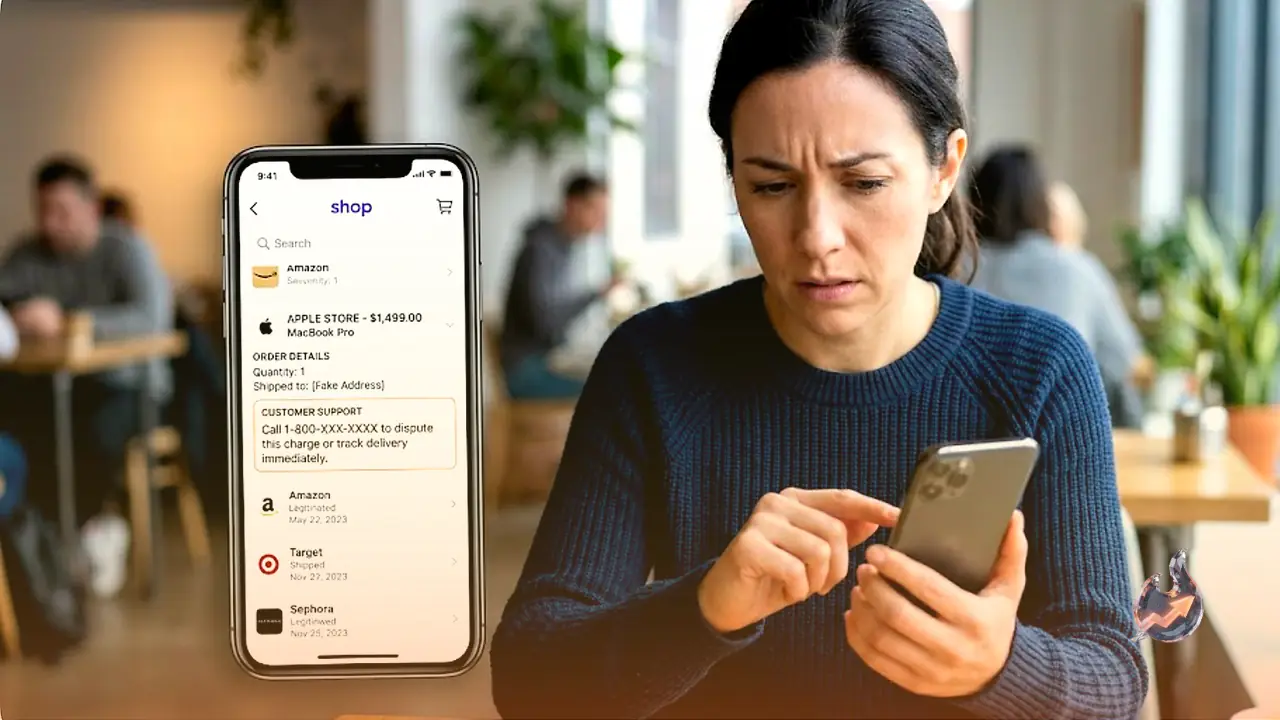

If a receipt turns up in your Shop app for something you never bought, stop and be careful before you do anything. Scammers have found a way to slip fake orders into users' order histories, and these bogus receipts are made to look as if they come from trusted names like Apple, Norton and PayPal. In reality they are the bait in a carefully planned callback phishing campaign.
The whole point of the trick is to rattle you into calling a phone number. So the single most important rule is this: never contact the phone number or email address attached to a purchase you don't recognise.
How the trick actually works
Alongside the fake receipt, the scammers list an email address and/or a phone number, telling you to get in touch if you want to dispute the charge. The moment a worried user dials that number, the person on the other end poses as a support agent for the company being impersonated.
That is where the real damage begins. These fake agents try to talk you into handing over sensitive details such as your login credentials, credit card information or authentication codes. In some cases they push you to download software that is actually malware. Once installed, that malware gives the scammers remote access to your device, meaning they can control your phone or computer from afar.
Why orders show up in your Shop history
It helps to understand how orders land in your Shop history in the first place. The app tracks orders paid for with Shop Pay and bought from stores that use Shopify, as long as you entered the email tied to your Shop account at checkout.
On top of that, the app scans your Gmail and Outlook messages. It looks for keywords like "tracking number" and "track your package" to pull in delivery details, which is why you may also see pending parcels that actually started somewhere outside the Shop ecosystem altogether.
What still isn't clear
It is not yet clear exactly how the threat actors are managing to insert these fake orders into user histories. There is also no evidence that Shop, Shopify or any of the companies whose names are being misused have actually been breached. For its part, Shop has only said it is putting "new controls" in place to reduce the problem.
How to protect yourself
The biggest safeguard is simple: don't automatically assume a receipt for an unknown purchase is genuine, whether it appears in the Shop app or in your email. First, check your bank and credit card statements, and then check your account history with the vendor named on the receipt to see whether a matching purchase really exists.
If you can't find a purchase that lines up, the invoice itself is almost certainly a scam, and you should not engage with it in any way. Don't call the number, don't send an email, and don't click any of the links.