






















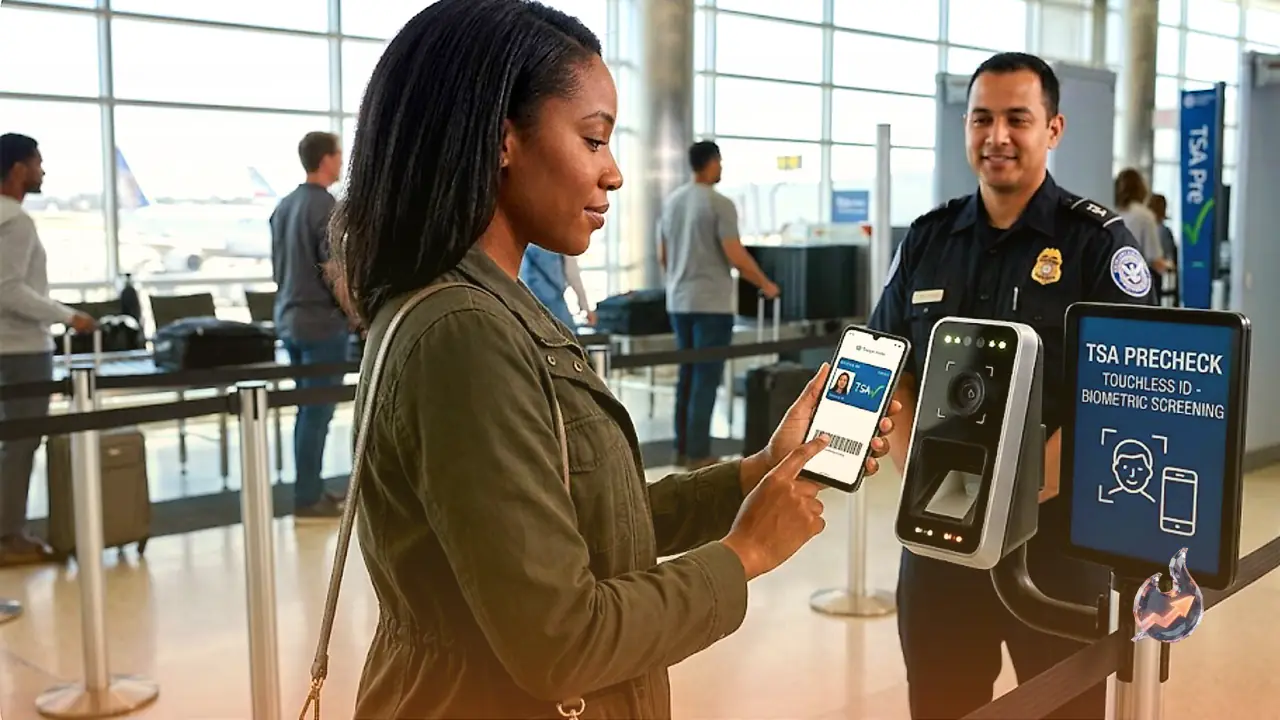

Android smartphone users can now navigate through select airport security checkpoints with much greater ease. The integration of TSA PreCheck Touchless ID into Google Wallet allows travelers to bypass the traditional requirement of presenting a physical identity card or scanning a paper boarding pass. While this digital identification feature was previously restricted to a small number of specific airlines, its inclusion in Google Wallet expands access, making it available to a wider group of eligible flyers. To take advantage of this setup, users only need a valid passport and an active membership in the TSA PreCheck program.
A Faster Lane at Airport Security Checkpoints
Touchless ID serves as an accelerated screening alternative designed specifically for individuals registered with TSA PreCheck. When this feature is active, passengers can utilize a dedicated security lane that is completely separate from the standard TSA PreCheck queue. At these designated checkpoints, high-tech facial recognition technology confirms the traveler's identity. This setup eliminates the need to pull out, present, or scan physical documents such as a state driver's license, a physical passport, or any other approved REAL ID card, creating a seamless and hands-free transition through security.
How to Configure Your ID Pass in Google Wallet
Setting up this contactless system requires a few preparatory steps within the Google Wallet application. The initial phase involves generating a digital ID pass using your physical passport. Users must open the app and navigate through the menus by tapping Add to Google Wallet, then selecting ID, choosing ID Pass, and pressing Continue. From there, you must select the specific region that issued your passport. The app will then guide you through scanning the passport's main information page along with its embedded security chip. To complete this security verification, you will also need to record a brief video of your face, which confirms that the physical passport matches the person setting up the digital account.
Linking Your Boarding Pass and Completing TSA Registration
Once the digital ID pass is established, the next phase occurs when checking in for an upcoming flight. Travelers must save their digital boarding pass directly into Google Wallet. If the flight and traveler qualify for the Touchless ID program, a distinct Get Started button will appear on the digital pass. Tapping this button redirects the user to the official TSA enrollment platform. Here, you must formally consent to sharing both your digital boarding pass and your newly created ID pass. After the TSA verifies and confirms the enrollment, a special TSA PreCheck Touchless ID icon will become visible on the digital boarding pass inside your wallet, signaling that you are fully authorized to use the expedited biometric lane at the airport.