






















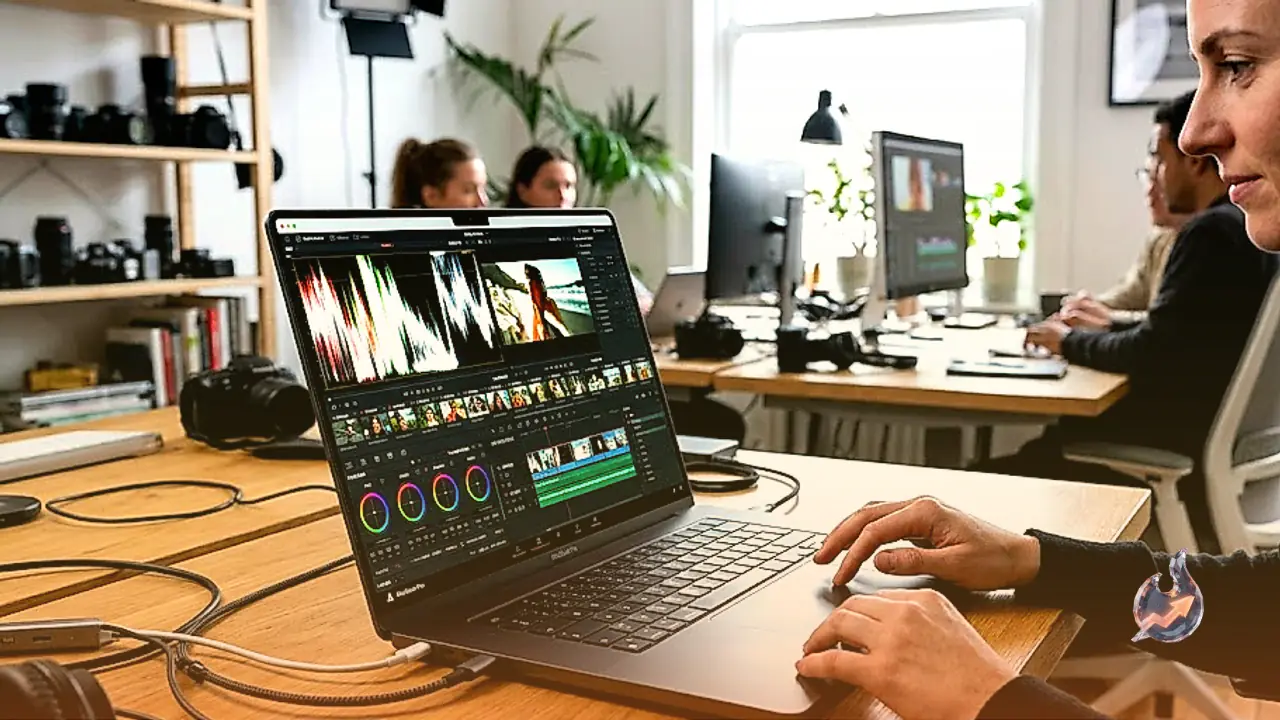

Designed for demanding creative professionals and computational power users, the latest workstation laptop from Apple delivers a significant step forward in sustained processing capabilities. This 16-inch machine directly succeeds the prior generation model and abandons the entry-level chipset tier entirely, offering configurations exclusively around M5 Pro and M5 Max silicon. Buyers can configure memory up to 128GB and solid-state storage up to 8TB depending on their selected processor tier, providing massive room for expansive professional assets and complex production caches.
Display Capabilities and Hardware Construction
Visual fidelity is anchored by a 16-inch Liquid Retina XDR screen operating at a sharp 3456 x 2234 resolution. The panel features an adaptive refresh rate reaching up to 120Hz, ensuring fluid cursor tracking and crisp playback across high-tempo workloads. Apple offers the panel in both standard glossy and anti-glare nano-texture surface finishes, giving buyers flexibility according to their ambient lighting environments. Structural integrity remains exceptional throughout the chassis, engineered with tight tolerances and premium materials. The display hinge demonstrates remarkable balance, firmly holding the lid angle under movement while permitting smooth, one-finger lid opening.
Hardware interfacing offers a modern selection of ports alongside up-to-date wireless protocols. The workstation integrates Wi-Fi 7 and Bluetooth 6.0 connectivity. Physical expansion includes three USB-C ports with Thunderbolt 5 support, an HDMI 2.1 video port, a full-size SD card slot, a 3.5mm analog audio jack, and a dedicated MagSafe power port. Legacy USB-A accessories will require an external dongle or dock. System authentication is handled by an integrated fingerprint reader, while remote communications rely on an upgraded 1080p webcam.
Processing Performance Under Heavy Workloads
Central computing strength comes from the 18-core M5 Max configuration, which delivers remarkable speed across both single-threaded execution and multi-core computational pipelines. Heavy professional pipelines such as complex software compilation, multi-layered video encoding, and intensive CPU-based rendering run effortlessly. Even during prolonged computing runs, the silicon exhibits minimal thermal throttling, sustaining virtually its entire performance profile without drastic clockspeed degradations.
Graphics performance scales effectively between the M5 Pro and the two higher-tier M5 Max GPU configurations. In graphics-accelerated applications, 3D modeling tasks and timeline rendering move swiftly, maintaining stability over continuous renders. The display panel complements these workflows with nearly full coverage of the DCI-P3 color space alongside outstanding factory calibration, making it dependable for precision grading and color grading. However, prolonged full-system utilization forces the cooling fans to operate at high noise levels, accompanied by noticeable surface heat along the keyboard. Buyers must also calculate their hardware requirements carefully before purchasing, as neither system RAM nor storage can be modified post-purchase.
Gaming Performance and Real-World Frame Rates
While engineered primarily for professional production tasks, the workstation exhibits considerable capability in gaming scenarios, though practical results hinge heavily on game optimization. Under the M5 Max configuration, titles such as Resident Evil 4 and Civilization VII achieve high, consistent frame rates. The 120Hz display lets players fully appreciate the elevated frame fluidity, and system throughput remains steady across extended play sessions.
More demanding titles like Assassin's Creed Shadows present noticeable challenges, struggling to maintain smooth execution when pushed to elevated ray tracing presets. Maintaining playable frame rates in such heavy environments requires dialing back visual quality parameters. Furthermore, sustained gaming generates significant fan acoustics and elevates keyboard deck temperatures. The broader macOS gaming library remains substantially more restricted than Windows ecosystems, necessitating that potential purchasers confirm compatibility for their preferred game roster.
Battery Endurance and Audio-Visual Media Quality
Battery longevity remains a standout trait for a workstation of this scale. In practical testing involving sustained web browsing, the M5 Max configuration exceeds 16 hours of continuous operation on a single charge. This capacity comfortably spans a complete workday of meetings or campus seminars without needing access to a power outlet. Local offline video playback yields nearly 16 hours of runtime. In contrast, running high-draw tasks like gaming drains the battery cells in roughly two hours.
For multimedia viewing, the Mini LED panel reproduces deep, rich black levels alongside vivid color expression, performing well in both sunlit rooms and darkened spaces. The panel suppresses reflections effectively and dims down significantly for comfortable late-night viewing, though slight blooming remains detectable around bright graphical elements set against dark backdrops. The integrated acoustic setup outputs impressive volume with balanced bass and minimal distortion at peak output.
Productivity and Everyday Usability
As a daily workstation for enterprise or university tasks, the expansive screen affords plenty of visual canvas for split-window productivity. Navigation is anchored by an expansive haptic touchpad that offers class-leading precision. The 1080p camera provides crisp visual clarity for meetings. The keyboard mechanism exhibits relatively shallow key travel, which may feel polarizing to users who favor deep, emphatic keystrokes. Additionally, the overall footprint and weight of the chassis combined with its charging brick represent a substantial physical load for frequent mobile travel.