























TrendKia
AllLiveNational
World
All World
PakistanChinaAmericaEuropeAsiaMiddle EastLatin America
Politics
Uttar Pradesh
Uttar Pradesh
Uttar PradeshBiharMadhya PradeshRajasthanDelhiMaharashtraGujaratPunjabHaryanaWest BengalTamil NaduKeralaKarnatakaTelanganaAndhra PradeshJharkhandChhattisgarhOdishaAssamUttarakhandHimachal PradeshJammu & KashmirGoaChandigarhPuducherry
Travel
Travel
Business
MarketMoneyAutoBenefitsSuccess StoriesCryptoAI
Sports
CricketTennisFootball
EntertainmentMovies, TV & celebrities
BollywoodOTTBhojpuriMovie ReviewsTVHollywood
TechnologyGadgets, apps & innovation
AccessoriesLaunch & ReviewDIY
HealthHealth, fitness & wellness
LifestyleFashion, relationships & lifestyle
Fashion & BeautyCultureRelationshipsTrendsParenting
FoodRecipes, food & restaurants
ReligionFaith, belief & spirituality
FestivalsVastuSpirituality
Astrology
AriesTaurusGeminiCancerLeoVirgoLibraScorpioSagittariusCapricornAquariusPisces
TravelDestinations & travel guides
Travel Tips
EducationJobs, exams & results
VacanciesAdmissionExamResultsCareer
Live
National
World
Pakistan China America Europe Asia Middle East Latin America
Politics
Business
Market Money Auto Benefits Success Stories Crypto AI
Sports
Cricket Tennis Football
Entertainment
Bollywood OTT Bhojpuri Movie Reviews TV Hollywood
Technology
Accessories Launch & Review DIY
Health
Lifestyle
Fashion & Beauty Culture Relationships Trends Parenting
Food
Religion
Festivals Vastu Spirituality
Astrology
Aries Taurus Gemini Cancer Leo Virgo Libra Scorpio Sagittarius Capricorn Aquarius Pisces
Travel
Travel Tips
Education
Vacancies Admission Exam Results Career
Uttar Pradesh Bihar Madhya Pradesh Rajasthan Delhi Maharashtra Gujarat Punjab Haryana West Bengal Tamil Nadu Kerala Karnataka Telangana Andhra Pradesh Jharkhand Chhattisgarh Odisha Assam Uttarakhand Himachal Pradesh Jammu & Kashmir Goa Chandigarh Puducherry
About Contact Privacy Cookies Terms Advertise
TrendKia logo Hindi • English News Platform

TrendKia

Fast • Fresh • Always Trending

TrendKia is a free bilingual Hindi–English news platform — trending stories from India and around the world. Sign in with Google to comment and follow topics.

About Us
TrendKia news app preview
TrendKia
AboutContactPrivacyCookiesTermsAdvertise
How to Quickly Fix the Sluggish Brightness Bug on iPhone 17Technology
1 hour ago· 0

How to Quickly Fix the Sluggish Brightness Bug on iPhone 17

An odd bug causing slow brightness adjustments on the iPhone 17 series can be easily resolved with a simple, unexpected keyboard trick.

Rohan GuptaRohan GuptaTechnology Correspondent 3 min read For AI
Share

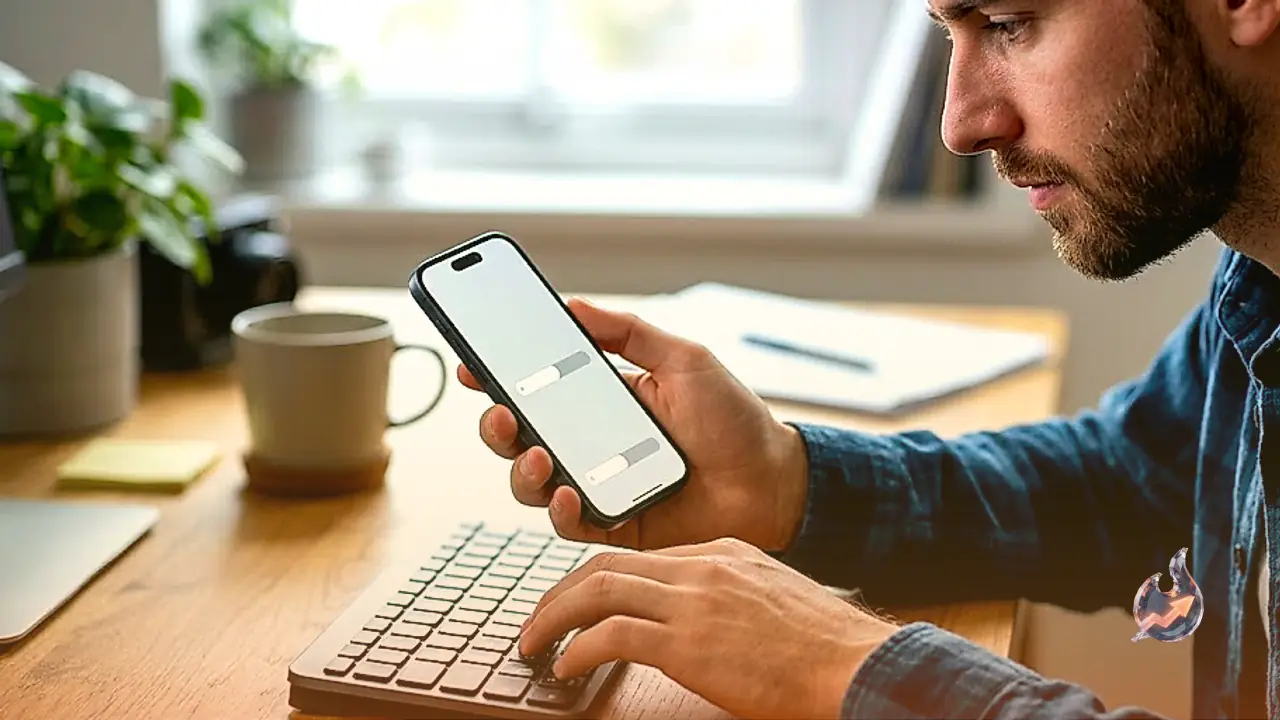
For quite some time now, I have been dealing with a strange iOS bug. I cannot pinpoint exactly when it started, but during the iOS 26 era, I noticed that the brightness controls on my iPhone 17 Pro Max were performing much slower than usual. This was unexpected, as iPhones have historically provided a consistent and immediate response when adjusting brightness levels. Normally, you pull up the Control Center and move the slider, and the screen adjusts instantly. With this bug, however, the experience was significantly different.

Symptoms of the Brightness Bug

Ever since the bug appeared, lowering the screen brightness felt sluggish. While the slider technically functioned, I could visually observe the brightness levels adjusting in distinct ticks rather than a smooth transition. Furthermore, even when the slider was moved to the very bottom, the screen did not appear as dark as it should have been. Especially when using my iPhone in a dark room, it was obvious that the minimum brightness level remained much higher than it was designed to be.

Also read
Effective DIY Tips to Fix Refrigerator Noise and Cooling Issues During the Monsoon
That sudden green or orange dot on your phone screen isn't a glitch, it's quietly guarding your privacy

I was unsure whether this was a hardware issue or a software quirk. A software-based problem would be ideal, as it could be fixed via an Apple update, but a potential defect in the iPhone 17 series displays would be a much more complicated situation. Because the issue was intermittent, I did not truly believe it was hardware-related, but I still had no idea what was causing it or how to resolve it when it occurred.

The Solution to the iOS Brightness Bug

The good news is that I stumbled upon a solution, though it is one I never would have anticipated. I finally searched for the issue online and discovered a Reddit thread featuring an iPhone 17 Pro user experiencing the exact same problem. The top response provided a very specific fix: press the Dictation button on your iPhone keyboard.

It sounded completely nonsensical to me at first. What could the Dictation feature possibly have to do with screen brightness? Regardless, I gave it a try. I opened a feature like Spotlight to trigger the keyboard, and then I tapped the Dictation button. To my surprise, the screen immediately dimmed to the correct level, even though the slider had already been set at the lowest position. After this, whenever I adjusted the brightness, it worked perfectly again. I have no clear explanation as to why this works, but it is effective. Activating the iOS Dictation feature, or at least engaging the microphone, seems to release whatever was hindering the display brightness settings.

That Reddit thread dates back to January, which suggests Apple has yet to patch this bug. I am currently running the latest version of iOS available as of now, which is 26.5.2, though I have not yet installed the iOS 27 beta. It is possible that a future major iPhone update will address this, but until then, it remains an issue. If your iPhone is suffering from this strange brightness glitch, at least you now have a solution, however unconventional it may be.


What this means for you

Across India: If you are using an iPhone 17 and experiencing sluggish brightness response, tapping the Dictation button is a quick way to resolve the issue.

Questions & Answers

How do I fix the brightness bug on the iPhone 17?
Press the Dictation button on your keyboard to immediately resolve the sluggish brightness issue.
What are the symptoms of this brightness bug?
The symptoms include sluggish slider response and the screen not reaching its lowest dark level even at the minimum setting.
Is this a hardware defect?
No, it appears to be a software bug because it can be resolved by simply triggering the Dictation feature.
Has Apple fixed this in an update yet?
According to the article, the bug persists as of iOS 26.5.2 and has not yet been officially patched.
Rohan Gupta
About the authorRohan GuptaTechnology Correspondent Noida
ExpertiseTechnology News, Artificial Intelligence, Startups, Gadgets, Software, Cybersecurity, Innovation, Digital Trends, Big Tech, Product Reviews

Rohan Gupta is a Technology Correspondent covering tech news, startups, gadgets, AI, software, and digital innovation. He reports on the latest developments shaping the technology industry.

Rohan Gupta is a Technology Correspondent specializing in technology journalism, including artificial intelligence, software development, consumer electronics, startups, cybersecurity, and emerging digital trends. He covers breaking tech news, product launches, industry updates, and innovations transforming the global digital landscape. With a focus on clarity and insight, Rohan breaks down complex technological developments into accessible reporting for a broad audience. His coverage includes big tech companies, startup ecosystems, AI advancements, mobile technology, and the future of digital transformation.

View full profile ↗
#Technology#IPhone#Brightness#IOS#Bug#Tips

Comments 0

Sign in to join the conversation.

Sign in

No comments yet — be the first.

Wall Street's Big Bet on AMZN: Where Could Amazon Stock Land Between 2026 and 2028?Market1
Wall Street's Big Bet on AMZN: Where Could Amazon Stock Land Between 2026 and 2028?
Three Indian Sailors Killed in Gulf of Oman Strike: Shashi Tharoor Tears Into US Over 'Insensitive' Statement, Presses Jaishankar TooPolitics2
Three Indian Sailors Killed in Gulf of Oman Strike: Shashi Tharoor Tears Into US Over 'Insensitive' Statement, Presses Jaishankar Too
FCC's 'Know Your Customer' Plan Could End Anonymous Phones — Plus the Week's Biggest Breaches and BustsSecurity3
FCC's 'Know Your Customer' Plan Could End Anonymous Phones — Plus the Week's Biggest Breaches and Busts

Latest news straight to your inbox

The day's big stories, in one email.

TrendKia बाज़ारAdvertisementमानसून सेल — हर चीज़ पर 50% तक छूटTrendKia बाज़ारअभी खरीदें →
Citizen journalism

Become a TrendKia journalist

Voice of the people

Share news, photos and videos from your area with TrendKia and let your voice reach the nation. Every citizen a journalist.

Join now
CH 01 LIVE
TrendKia TV ON AIR

Related stories

Apple Messages gets 10 new features in iOS 27 including AI-powered toolsTechnology 3
Apple Messages gets 10 new features in iOS 27 including AI-powered tools
2 hours ago
Microsoft Reports a Massive 25 Percent Jump in EmissionsTechnology 3
Microsoft Reports a Massive 25 Percent Jump in Emissions
6 hours ago
Apple Drags OpenAI to Court, Says Its Hardware Push Was Built on Stolen Trade SecretsTechnology 3
Apple Drags OpenAI to Court, Says Its Hardware Push Was Built on Stolen Trade Secrets
10 hours ago
A $250 Price Cut Puts Sony's Atmos-Ready Soundbar Within Reach of Budget Home TheatersTechnology 4
A $250 Price Cut Puts Sony's Atmos-Ready Soundbar Within Reach of Budget Home Theaters
18 hours ago
This Simple Home Trick Can Restore Your Scorched Iron Plate in Just 5 MinutesDIY 2
This Simple Home Trick Can Restore Your Scorched Iron Plate in Just 5 Minutes
1 day ago
GoPro Max 2 Gets A Massive $200 Price Drop On AmazonTechnology 5
GoPro Max 2 Gets A Massive $200 Price Drop On Amazon
1 day ago
Google Rolls Out Exclusive iOS Feature to Chrome for Android UsersTechnology 2
Google Rolls Out Exclusive iOS Feature to Chrome for Android Users
1 day ago
The 4 Best Home Air Conditioners to Buy Right NowTechnology 2
The 4 Best Home Air Conditioners to Buy Right Now
2 days ago






